
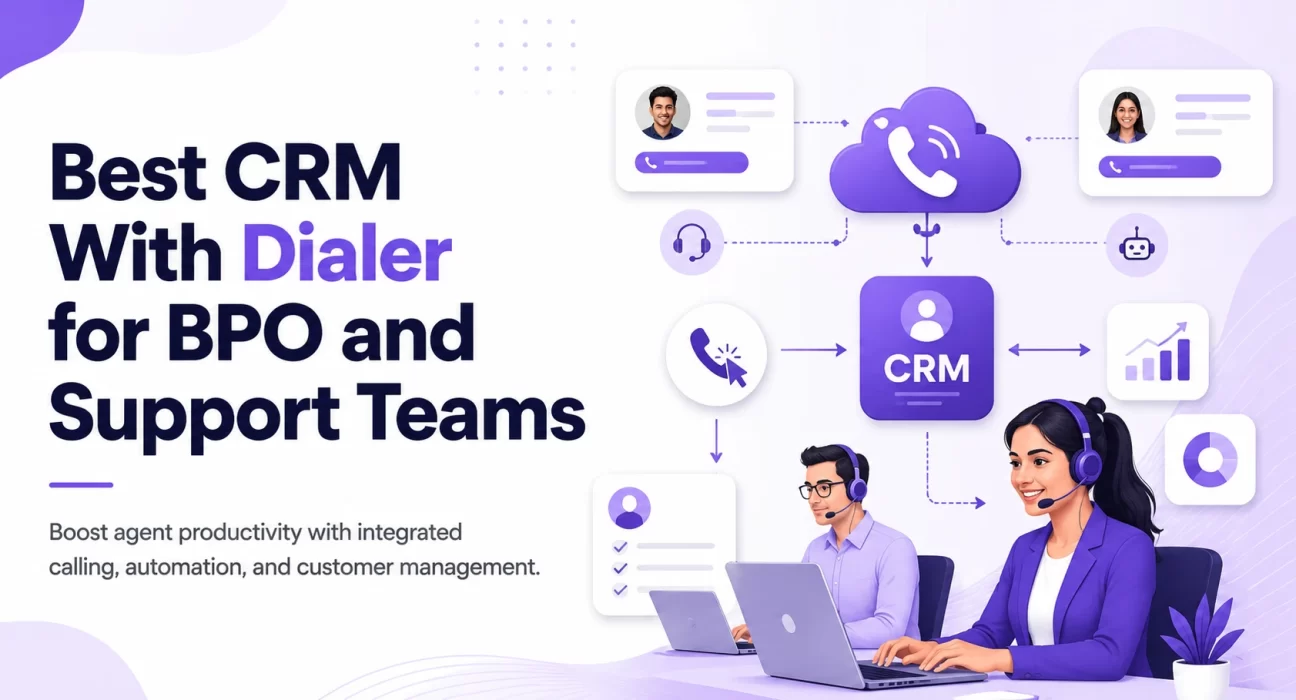
A CRM with Dialer for BPO can eliminate the daily frustration of switching between multiple tools just to make a single customer call. If you run a BPO or a customer support team, you already know how painful it gets when agents are juggling between five different tabs. They open the CRM, copy the number, switch to the dialer, dial it manually, come back to the CRM to log the call, and somewhere in between they forget what they were supposed to say. It is a mess, honestly.
In this article, we are going to look at the best options available right now, what makes each one good for BPO and support teams, and how to pick the right one for your setup.
Why BPO Teams Need a CRM With a Built-in Dialer
Most BPOs deal with a very high volume of calls every single day. Whether it is inbound support, outbound sales calls, or follow-ups, agents need to move fast. When the CRM and the dialer are two separate tools, you lose time, you lose context, and you lose accuracy in your reports.
Here is what a good CRM with dialer for BPO actually helps you do:
- Auto dial numbers from your contact list so agents do not waste time dialing manually
- Log calls automatically so supervisors always know what was discussed
- Pull up customer information right when a call comes in so agents are never caught off guard
- Record calls for quality checks and training
- Track dispositions so you know what happened at the end of each call
Without all of this in one place, your team ends up doing a lot of repetitive manual work that should have been automated a long time ago.
What to Look For Before Buying
Before we jump into the list, here are a few things every BPO or support team should check:
Call volume support – Can the tool handle hundreds or even thousands of calls per day without slowing down? Some CRMs are built for small sales teams, not high volume call centers.
Auto dialer types – There are predictive dialers, progressive dialers, and preview dialers. BPOs usually need predictive or progressive dialers since they help agents stay on calls rather than waiting.
IVR and call routing – If you handle inbound calls, you need proper routing so customers reach the right department or agent quickly.
Integration with existing tools – Does it connect with your ticketing system, WhatsApp, or other channels you already use?
Reporting and monitoring – Supervisors need to see live dashboards, listen to calls, barge in when needed, and pull reports at the end of the day.
Pricing per agent – BPOs often have large teams. Per-agent pricing adds up fast, so always calculate the total cost.
Best CRM With Dialer for BPO and Support Teams
1. TeleCalling CRM
If you are running a BPO or a sales heavy support team in India, TeleCalling CRM is honestly one of the most practical options you will come across. It was built from the ground up for Indian sales and telecalling teams, and that shows in every part of the product.
The smart auto dialer is the highlight. Agents do not dial manually at all the system moves through your lead list automatically, so your team is always on a call rather than waiting for one. On top of that, every call is logged, recorded, and even analyzed by AI. The moment a call ends, the platform gives you a transcription, a one line summary, a sentiment score, and coaching notes for the agent. That is not an add on here it comes included in every plan.
Good for: Indian BPOs and telecalling teams of any size, especially in real estate, BFSI, ed tech, insurance, and fintech. Teams that want AI call analysis without paying extra for it.
Pricing: Starts at ₹999/month for up to 5 users. 7-day free trial, no credit card needed.
2. Zoho CRM
Zoho is a name most Indian businesses know well, and for good reason. Zoho CRM combined with Zoho Voice gives you a CRM with dialer for BPO that is surprisingly affordable, especially for teams of 20 to 100 agents.
Calls made through Zoho Voice show up directly in the CRM against the contact. You get call recording, voicemail drop, and basic IVR. The interface is not the most modern looking thing, but it is functional and stable. Zoho also has a strong customer support team in India, which matters when something breaks at 10pm.
Good for: BPOs looking for a cost effective solution, especially in India where Zoho has strong local support.
Pricing: Zoho CRM starts at ₹800 per user per month. Zoho Voice has separate pricing based on call minutes.
3. HubSpot CRM
HubSpot on its own does not have a built-in power dialer. But when you connect it with JustCall, which is a cloud calling platform built in India and used widely by BPOs, you get a really solid combination.
JustCall sits inside HubSpot as a plugin, so agents never leave the CRM to make or receive calls. You get auto dialer, SMS, call recording, and even AI call scoring. The JustCall HubSpot combo is probably the most popular choice among Indian BPOs that want something modern and feature rich.
Good for: Growing BPOs that want a polished experience and are okay with paying a bit more for it.
Pricing: HubSpot has a free CRM. JustCall starts at around $19 per user per month.
4. Salesforce
If you are a large BPO running operations at scale think 200+ agents, multiple client accounts, strict SLA requirements Salesforce with Five9 is probably the most enterprise grade combination available.
Five9 is a cloud contact center platform that integrates deeply with Salesforce. You get predictive dialing, skills based routing, workforce management, and some of the most detailed reporting in the industry. The setup is complex and the pricing is high, but for enterprise BPOs it often pays for itself.
Good for: Large BPOs managing multiple clients or handling regulated industries like banking or insurance.
Pricing: Salesforce starts at $25 per user per month. Five9 pricing is custom and usually starts around $149 per user per month.
5. Leadsquared
Leadsquared is a CRM that was built specifically keeping the Indian market in mind. It is very popular among BFSI (banking, financial services, insurance) companies and ed tech BPOs in India.
What makes it stand out is that telecalling is not an add on it is deeply baked into the product. You can run dialer campaigns, track call dispositions, auto assign leads after calls, and view agent performance all from one screen. The CRM workflows are also quite powerful for teams doing a mix of outbound calling and follow-ups.
Good for: Indian BPOs especially in BFSI, ed-tech, or real estate where lead tracking and calling need to be tightly connected.
Pricing: Custom pricing. Usually starts around ₹2,500 per user per month depending on the plan.
6. Bitrix24
Bitrix24 is often overlooked but it is actually a very full featured platform. It includes a CRM, project management, internal chat, and built-in telephony all under one roof. For small to mid size BPOs that want to reduce the number of tools they pay for, Bitrix24 makes a lot of sense.
The built-in telephony lets you rent local numbers, receive calls, and record them. You can also set up a call queue and IVR. It is not as polished as Freshdesk or Salesforce, but the value for money is hard to beat.
Good for: Small BPOs or startups that need an all in one platform without spending too much.
Pricing: Free plan available for up to 12 users. Paid plans start at around $49 per month for the team.
Common Mistakes BPOs Make When Choosing a CRM With Dialer
Buying based on brand name alone – Just because a tool is popular does not mean it fits your team size or your industry. A CRM built for a 10 person sales team behaves very differently when you put 80 agents on it.
Ignoring call quality – Some cloud telephony providers have terrible call quality on certain networks. Always ask for a free trial and test it with agents in the actual cities where they work.
Not checking compliance – If you handle customer data in regulated industries, make sure the tool is compliant with relevant data protection rules. This is especially important for BPOs handling clients from the US, Europe, or UAE.
Underestimating onboarding time – Complex tools like Salesforce + Five9 can take months to set up properly. If your team needs to be live in two weeks, pick something simpler.
Not involving agents in the decision – The people actually using the tool every day know what works and what does not. Running a demo with a few agents before signing the contract saves a lot of pain later.
How to Decide Which One is Right for Your Team
Here is a simple way to think about it:
If you are an Indian BPO or telecalling team looking for the best value with zero compromise on features, TeleCalling CRM is the obvious first stop. Flat pricing, AI call analysis included, live war room, 12+ lead integrations, and a 5 minute setup make it hard to argue against, especially when plans start at just ₹999 per month.
If you are a small BPO with under 20 agents and do not want to spend a lot, Bitrix24 or Zoho are solid backup options. Both give you enough functionality to run smoothly without burning a hole in your budget.
If you are a growing mid size team that handles both inbound and outbound calls, Freshdesk Contact Centre with Freshsales or HubSpot with JustCall are your best bets. They are easy to use, have good support, and scale reasonably well.
If you are an Indian BPO in BFSI or ed-tech with complex lead workflows, Leadsquared is worth a serious look. It was built for exactly this kind of work.
If you are running large scale operations with hundreds of agents and enterprise clients, Salesforce with Five9 is the gold standard even if the cost is high.
Final Thoughts
Finding the right CRM with dialer for BPO comes down to understanding your team’s size, the kind of calls you handle, your budget, and how much time you have to get everything set up.
The tools we covered here range from budget friendly all in ones to enterprise powerhouses. None of them is perfect for every situation, but one of them is probably the right fit for yours.
Take the time to do a proper trial before committing. Most of these platforms offer free trials or demos. Use that time to actually put agents on calls, check the reporting, and see how the supervisor tools work. What looks great in a product demo does not always feel great when 50 agents are using it at the same time.
Start small, test well, and then scale. That is the safest way to roll out any new CRM dialer combination in a BPO environment.